
WhatsApp Status Saver — save any status before it disappears
Save WhatsApp photo and video statuses on your phone — nothing is uploaded. Pull the audio out as an MP3, or shrink a clip that's eating storage.
Available on Android.
✓ Free, ad-supported. One-time purchase to remove ads — no subscription, no renewal.
Everything you need, nothing you don't
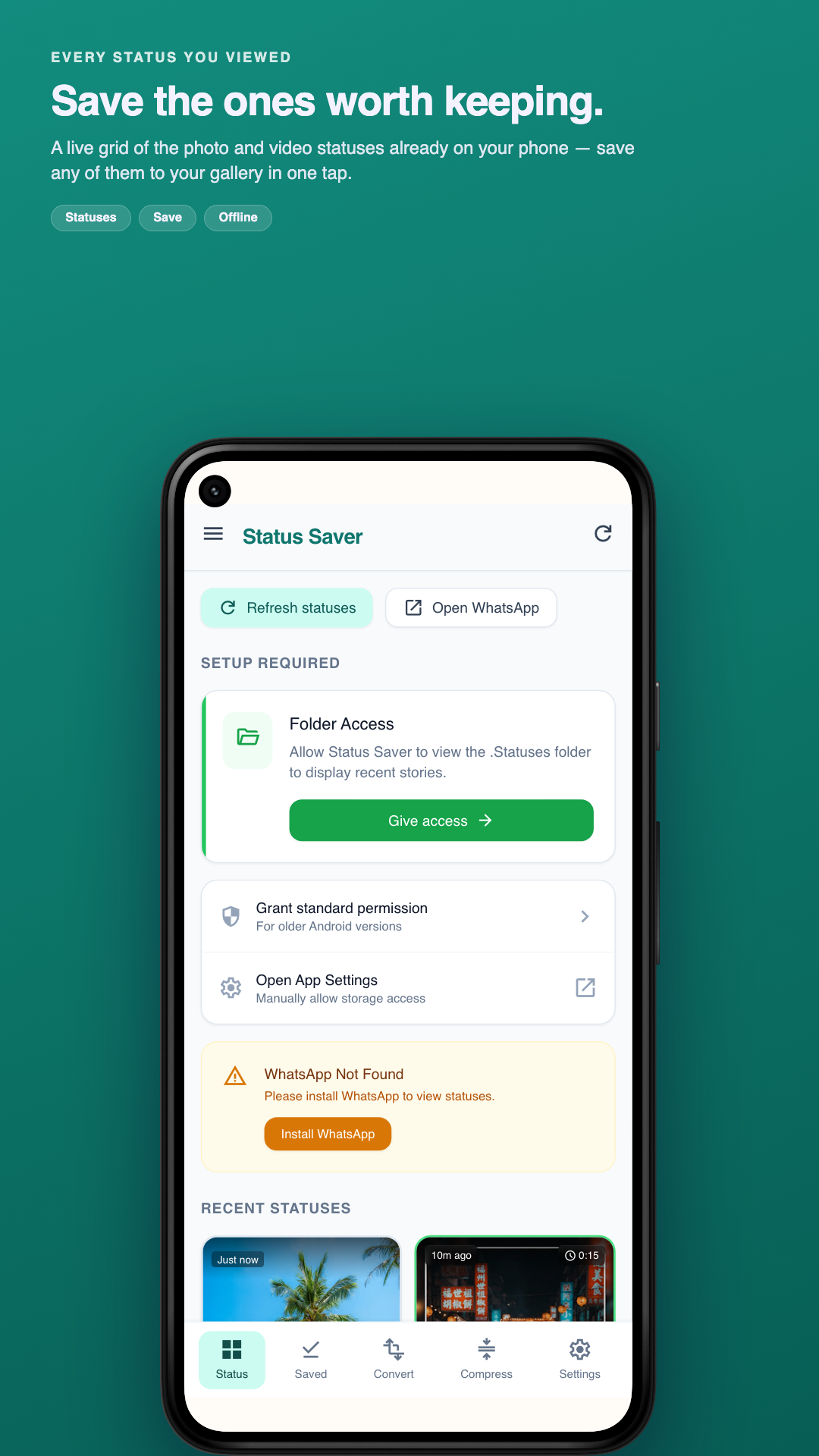
Save statuses in one tap
Download photos and videos from WhatsApp and WhatsApp Business in full quality, straight to your gallery — before the 24-hour timer runs out.
Video to MP3
Pull the audio out of any video as MP3, M4A or AAC. Trim to the part you want and set it as your ringtone without leaving the app.
Compress photos and videos
Shrink large media with presets or a target size, so you can keep more without buying storage.
Everything you saved, organised
One place for saved statuses and converted files — filter, sort, share or delete, with a storage overview so nothing piles up unnoticed.
Your media stays on your phone
Saving, converting and compressing all run on-device. There is no server that receives your files and no cloud copy.
20+ languages, light & dark
Pick your language during setup and switch any time. Material 3 design with full light and dark themes that follow your system.
Three taps from watching to keeping
- 1
View the status in WhatsApp
WhatsApp saves a status to your phone once you've watched it. That's the file Status Saver reads — nothing is fetched from the internet.
- 2
Grant the statuses folder once
A one-time Android folder permission during setup. You choose the folder; the app only ever reads that one.
- 3
Save, convert or compress
Tap to save to your gallery, extract the audio as an MP3, or compress it down — all on your device.
What people use it for
- Keep a friend's video status before it expires at the end of the day.
- Turn a song from a status into an MP3 and set it as a ringtone.
- Compress a long video before sending it, without a desktop app.
- Clear out storage by shrinking photos you want to keep.
- Keep everything saved in one place instead of hunting through the gallery.
Anyone who wants to keep the statuses they see and get more out of the media already on their phone — without uploading it to a stranger's server.
Questions, answered
Why don't I see any statuses?
You have to view a status inside WhatsApp first — WhatsApp only writes the file to your phone once you've watched it. Also check you granted the correct statuses folder during setup, and remember statuses are deleted by WhatsApp after 24 hours.
Does my media get uploaded anywhere?
No. Saving, converting and compressing all happen on your device, and there is no server that receives your files. The app does connect to the internet to load ads and for Google's crash and usage reporting — our Privacy Policy lists exactly what those receive.
Is this a status downloader or a status saver?
Both words describe the same job, and people search for each. Nothing is downloaded from the internet — the status file is already on your phone once you have viewed it, so the app copies it from WhatsApp's own folder into your gallery. That is why it works with no account and no connection.
Is this app made by WhatsApp?
No. Status Saver is an independent app from MobileByteSensei and is not affiliated with, endorsed by, or connected to WhatsApp LLC or Meta. It simply reads the status files WhatsApp has already saved on your phone.
Can I share a status I saved?
You can, but the content belongs to whoever posted it. Save for your own offline viewing; ask before you re-publish someone else's photo or video.
Is it free? What does the purchase do?
The app is free and supported by ads. A single one-time purchase removes ads across the whole app — it is not a subscription and never renews.
Does it work with WhatsApp Business?
Yes. Grant the WhatsApp Business statuses folder as well — it is a separate folder from regular WhatsApp.
What formats can I convert to?
MP3, M4A and AAC, with trimming and set-as-ringtone built in.